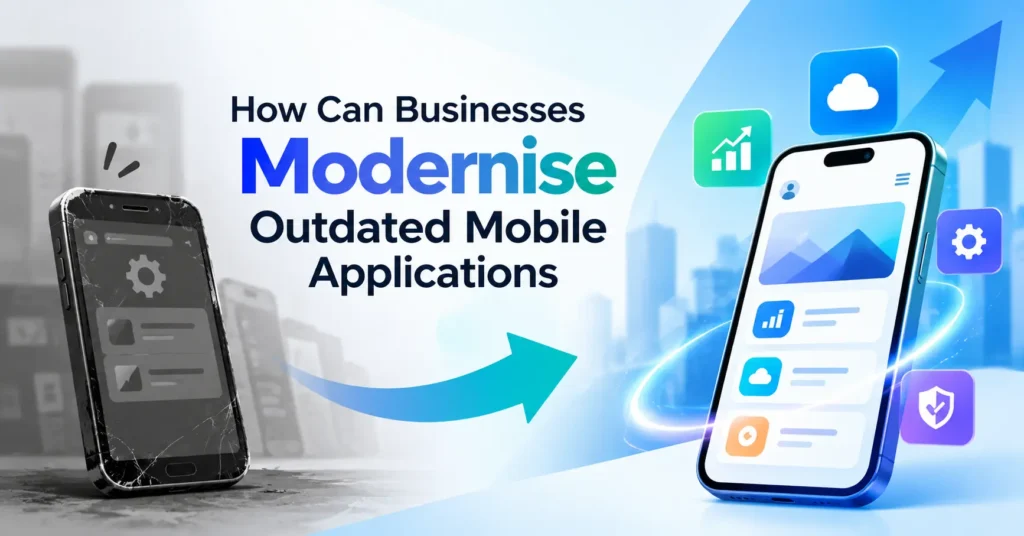
Mobile apps are crucial to engaging customers, transforming your business, and digital expansion. As your digital ecosystem grows, the legacy applications could become slow, complex to maintain, insecure, and incompatible with modern devices, all of which can impact the experience of your customers as well as your business.
The process of mobile app modernization enables businesses to upgrade and improve existing apps without having to develop them from ground up. This involves replacing legacy technology, improving UX and functionalities, and creating more secure and scalable app environments.
What Is Mobile App Modernization?
Modernizing a mobile app means applying recent technology and business standards. This can include this: Re-designing UI, improving application performance, Removing obsolete systems, increasing the security of the app, Integrating the mobile app with modern business systems.
Let’s say you’re a retailer that is relying on an older shopping app, such that it’s slow to load, limited to certain payment types, and difficult to manage orders from the store. Modernising could enable faster pages, more payment types, and better stock management. Your modernisation approach should be defined by the current condition of the application, its technical limitations, your budget, and your overall business needs.
Signs Your Business Needs Mobile App Modernisation
Being able to identify potential issues at an early stage can allow businesses to steer clear of costly repairs and unhappy customers.
1. Slow Application Performance
If an app loads slowly, often becomes unresponsive or crashes during a key moment, people will stop using it. Optimising performance can boost load times, responsiveness, and stability.
2. Outdated User Interface
An outdated layout and hard-to-use navigation can create challenges for customers. To improve the user experience, update menus, graphics, and overall interface so that is more user-friendly.
3. Security Vulnerabilities
Legacy apps could be using unsupported software libraries or obsolete login procedures or insecure data storage techniques. Modernising can help remedy these flaws with security patches and better levels of protection.
4. Compatibility Issues
Mobile applications continue to evolve rapidly. Those that lack compatibility with newer versions of Android or iOS will experience bugs or may miss out on core platform features.
5. Difficulties Integrating New Systems
Your mobile app might require integration with CRM systems, payment gateways, inventory management, analytics software, or cloud services. Old-school architecture can slow down or complicate the task and may even come with a hefty price tag.
How Can Businesses Modernise Outdated Mobile Applications?
Structured methods help companies improve their Apps While Managing Risk and Cost of development.
1. Conduct a Complete App Audit
First, assess the current app’s performance coding security, user feedback, and technical design. Look for error patterns, outdated components, unneeded features, and difficulties with integrations.
You can identify where user struggles or drops happen using analysis data. Based on what you learn, you can make improvements that matter to your business, rather than changing needless things.
2. Improve User Experience and Interface Design
Modern site and product application programs should be easy to navigate, responsive, and accessible across supported devices. Simplify menus, improve forms, reduce unnecessary steps, and make essential features easier to find.
Online shopping making it easy for shoppers to find what they’re looking for and check out with their items.
3. Upgrade the Technology Stack
Certain use cases depend on setups, programming languages, or third-party libraries that are no longer maintained in an adequate way. You can update these packages or port your application to another tech stack. Based on your needs, you can opt for a native Android or iOS development, cross-platform approach or a more gradual migration. It needs to take into account desired performance, needs for ongoing support, expertise, and future scaling.
4. Strengthen Application Security
Security must be integrated as an essential element of the modernisation journey. Take stock of authentication authorisation encryption, API security, data storage, and third-party dependencies. Adhering to secure coding guidelines, applying patches promptly, implementing suitable access controls and carrying out security testing, all can much reduce the risk. Some applications require further safeguards to align with the relevant regulations.
5. Integrate APIs and Cloud Services
APIs allow sharing data with the numerous external systems the modern world calls for. You can integrate your app with the CRM, payment platforms, business software, and warehouses thanks to API integration. Cloud may also help to provide variable infrastructure, increased availability and more straightforward expansion as application load increases. The architecture should be chosen based on the workload, security requirements and operational costs of the application.
6. Test Before Launching Updates
Once a new version of the app is created, conduct a test for functionality performance security, usability, and device compatibility. A phased rollout or controlled pilot can catch unforeseen problems before the update is available to all users. Businesses should also have a backup plan and rollback plan, if necessary.
7. Monitor Performance After Deployment
Modernisation continues well after rollout. Monitor crash rates and load times, user retention, customer feedback and feature adoption. Frequent updates and regular maintenance enable your app to stay stable as devices OS user needs and business requirements evolve.
What Are the Benefits of Mobile App Modernisation?
Updating an existing app can bring many business benefits, namely:
-
Improved user experience: Customers may have an improved experience when using the property from better speed and easier page navigation.
-
Improved security: Revising components and by implementing better security practices, you may be less exposed to known weaknesses.
-
Simpler maintenance: Discarding unsupported technology will make it easier to adopt new technology down the line.
-
Business system integration: APIs can be used to establish connections between mobile apps and other digital systems.
-
scalability: Appropriate architecture will enable support of changing workloads and increased user demand.
-
Improved operational efficiency: Automated procedures and integrated systems can minimize the need for repeated manual interventions.
The results will vary based on the application status, the quality of implementation, and the specific business goals being monitored.
How to Choose a Mobile App Modernisation Company
Select your development partner carefully. Find a company that can take a look at your current app, assist you in understanding your technical challenge and share a realistic solution based on your budget. Evaluate its past projects for legacy app upgrades, UI/UX improvements, API integrations, security testing, and app migration. Find out about the project durations, testing, and assessment methods, ongoing maintenance and support.
A trustworthy partner will explain whether your app needs specific enhancements, partial redevelopment, or a complete rebuild. This information helps you make an informed decision and avoid unnecessary development work.
Frequently Asked Questions
1. How much does mobile app modernisation cost?
Cost is a function of app size, quality of code, new feature set, security enhancements, tech stack. An update to the simple UI might be much less than a migration of the whole architecture. Ask us for a technical audit and a detailed project quote first.
2. Should I update my current app or create a new one?
When the current application offers valuable functionality and is built on a sound platform, then modernisation tends to be appropriate. If the current architecture is well beyond its useful life, difficult to manage or secure, then a rebuild tends to be necessary.
3. How long does it take to modernise a mobile application?
The time depends on the scope of work and the complexity of the application. Small enhancements might only take a few weeks, while large scale technology migrations might span a few months. An audit will allow a realistic timeline.
4. Can an outdated mobile app be upgraded without losing data?
Yes, often. Developers can prepare for the database migrations, establish backups, verify data consistency, and even perform trial upgrades. Still, the specifics of how to do it depend on the current structure and data storage.
5. How can I improve the performance of an existing mobile app?
Identify bottlenecks with performance profiling. Optimise network requests database image sizes, memory, and app code. Testing on other devices can help further confirm that you are addressing the actual issues.
6. Why should businesses hire a mobile app development company for modernisation?
A reliable development partner will analyze the legacy code, consider the current technical risks, update the application architecture, improve security and add new features. A support team can also assist companies with planning testing, deployment, and ongoing maintenance.
7. Does mobile app modernisation improve app security?
Security can be improved by fixing insecure dependencies, fixing authentication issues, improving data protection, fixing vulnerabilities identified by security testing. But, security after upgrading does not end. It is an ongoing process and needs maintenance.
Conclusion
Old mobile applications can constrain business growth with their slow performance, security limitations, lack of compatibility and challenging integrations with systems. By updating and modernizing old applications, businesses can boost their performance, provide their users with improved experiences and support their future needs.
The most effective method involves a comprehensive application audit, incremental enhancements, rigorous testing and constant tuning. No matter if your application needs a speed enhancement, a new UI, improved security, or an entire technology change, a carefully thought out modernisation plan will maximise return on your current application.